Change a price before the next table sits down.

MezQR puts your menu on every table as a QR code. Update dishes and prices from your phone, and every guest sees the change within seconds. No reprinting, and no app for customers to download.

  • Works with any phone camera
  • Prices in rupees, or any currency
  • Table cards and posters ready to print
  • Set up for you by the MezQR team

A live sample menu. Try it: tap Add.

Your menu changes every week. Paper doesn't.

Prices move, dishes sell out, specials come and go. With MezQR the menu on the table is always the one in your kitchen.

Printed menus compared with MezQR
SituationPrinted menu With MezQR
A price goes upReprint every menu, or cross it out by handChange it on your phone. Every table shows the new price within seconds
A dish sells outWaiters tell each table, one by oneHide it with one tap; bring it back tomorrow
You add a new dishWait for the next print runAdd it during service, with its description and price
Menus get worn or lostSticky, torn copies; order moreNothing to wear out. Guests use their own phones

Live on your tables in an afternoon.

Three steps, and we do the first one for you.

  1. You've been invited

    Set a password to start managing your menu.

    Accept invite

    Step 1

    We set up your restaurant

    MezQR creates your account and emails you an invite. Set a password and you're in. No forms, no card details.

  2. Step 2

    Add your menu

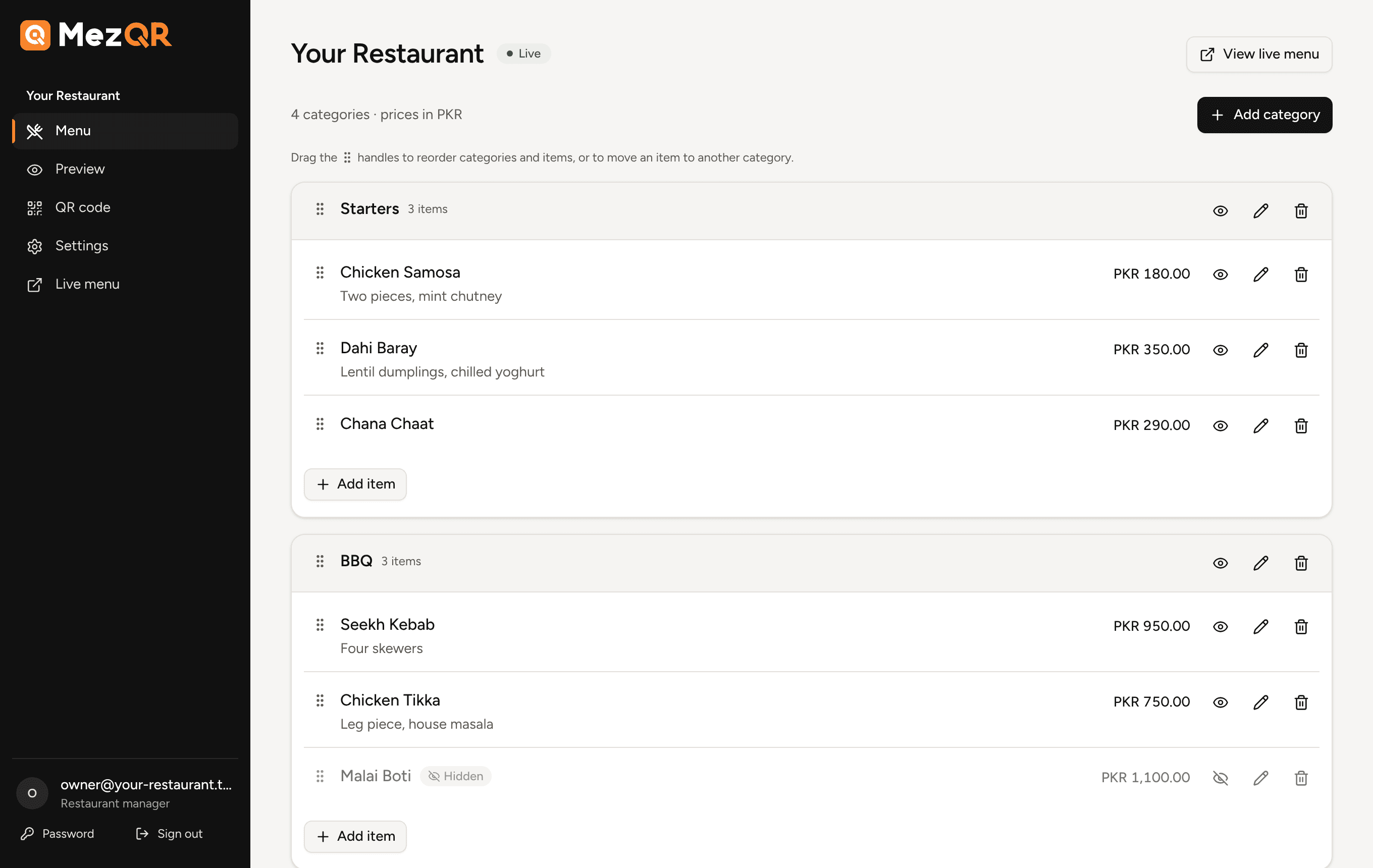
    Categories, dishes, descriptions and prices. Drag to reorder, hide what's sold out, preview exactly what guests will see.

  3. Step 3

    Put the QR code on your tables

    Download your code or print table cards, stickers and posters, sized to scan from across the table.

A dashboard your manager can learn in five minutes.

Everything for the menu in one place, on a laptop or a phone between orders.

The MezQR menu editor: categories with dishes and prices, drag handles to reorder, and buttons to hide, edit or delete each item
  • Drag to reorder

    Put your best sellers first. The order is saved the moment you let go.

  • Hide and show

    Sold out tonight? Hide the dish; it's back with one tap.

  • QR codes, ready to print

    Posters, table cards and sticker sheets in A4 and A5, or download the code.

Made for the person holding the phone.

Your guests get a menu that's quicker to read than paper, and a total they can trust before they order.

Opens from the phone camera

No app to download and no account. Point the camera, tap, and the menu is there.

A running bill estimate

Guests tap Add on what they fancy and see the total before they order, item by item. It stays on their phone.

Fast on any connection

Menus are served from a cache close to your guests, so they load in a blink, even on weak signal.

Easy on the eyes

Large prices, clear sections, quick tabs to jump to drinks or dessert, and dark mode when their phone is in it.

Your QR code comes ready for every spot in the restaurant, sized so it scans from where guests sit. Your name on it, never ours.

Built to be dependable

Printed codes keep working

Rename your menu address and old QR codes still open the right menu.

Only what you publish

Hidden dishes and unpublished menus never reach guests.

Your team only

Each manager sees just their own restaurants; administrator changes are logged.

Questions owners ask us.

Do my customers need to install anything?

No. Any phone camera opens the menu in the browser. There's no app and no sign-up for guests.

If I change the menu, do I need new QR codes?

No. The code on the table always opens your latest menu, so you print once and update as often as you like.

Can guests order or pay through MezQR?

Not today. Guests browse the menu and see a bill estimate; they order with your staff as usual.

Which currencies are supported?

Pakistani rupees and every other ISO currency, with the right number of decimal places for each.

How do I get started?

MezQR sets up each restaurant personally. Get in touch for a demo and we'll create your account and send you an invite.

Put your menu on every table this week.

Tell us about your restaurant. We'll set up your account, and you can be live the same day.

Book a demo